Animal Ragdoll Official & Wiki Links
Roblox experience, creator group, and every major Animal Ragdoll hub.
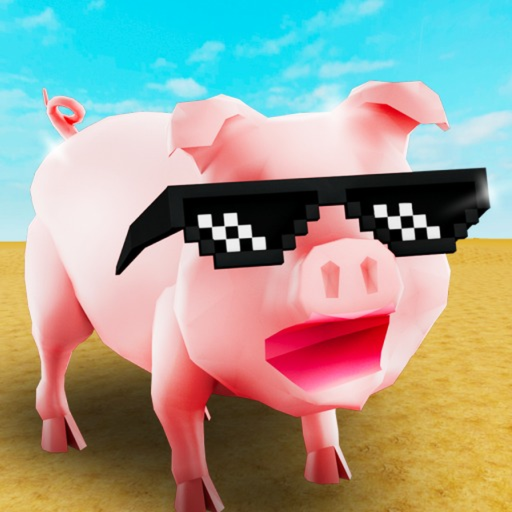
Use this Official Links Hub as the trusted doorway into Ragdoll Animals and the Animal Ragdoll wiki. Fan sites go stale when they bury the real play button under ads; we keep the important destinations—and our own category hubs—on one page so you can verify information at the source.
Play the game
- Ragdoll Animals on Roblox — https://www.roblox.com/games/121571737300302/Ragdoll-Animals
- Place ID
121571737300302 - Universe ID
6848789087 - Genre feel: Simulation / Physics Sim, server size 20
- Released 2024-11-28, multi-million visit sandbox of explode-fling-crash animal chaos
- Place ID
Always launch from the official experience page or Roblox search for “Ragdoll Animals.” Bookmark clones or “free Robux” mirrors are unsafe.
Creator community
- Takawakalaka group — https://www.roblox.com/communities/32584322
- Watch shouts and wall posts for patch callouts, Flash Deal reminders, and occasional gift hints.
- Group membership is the safest social signal when unverified “codes” flood YouTube comments.
Cross-check anything that looks like a promo string on our Codes Hub before you get excited.
What this wiki covers
Animal Ragdoll is an independent guide site for Ragdoll Animals. We document:
- Codes status and redeem help
- Script safety reality checks (no invented loadstrings)
- Tool and animal tier lists for chaos value
- Guides for onboarding, XP to level 40, quests, crates, and controls
- Animal roster context
- Update themes such as Crate Drops, Quests, Flash Deal, and bouncing fixes
We are not the developer. For authoritative store text, trust Roblox and Takawakalaka first, then use our explainers.
Wiki category hubs
- Codes Hub — active status table, redeem overview, rumor hygiene.
- How to redeem codes — step-by-step UI flow.
- Scripts Hub — feature wish-lists and scarcity notes.
- Script safety — red flags and account hygiene.
- Tier List Hub — map to tools and animals rankings.
- Tools tier list — explosives, fling, bounce, grab, utility.
- Animals tier list — pig, ram, goat-like, flyer, heavy.
- Guides Hub — all tutorials with summaries.
- Getting Started — day-one path.
- Players Hub — animals & characters overview.
- Animals roster — unlock philosophy.
- Updates Hub — patch themes.
- Patch notes — consolidated bullets.
How to verify a random tip
- Confirm the tip refers to Ragdoll Animals by Takawakalaka—not a differently named ragdoll experience.
- Open the official game description and group shout.
- Compare with our matching hub (codes, updates, guides).
- Test in a fresh server after rejoining.
- Ignore anyone selling executors or “private servers that give free limiteds.”
Legal & site pages
Site policies live at the English legal URLs linked in the footer (/terms/, /privacy/, /cookies/). Gameplay content stays in the hubs above.
Support the right creators
Like and favorite the official experience if you enjoy the sandbox, follow Takawakalaka for patch signal, and share wiki pages that helped you—especially Getting Started for friends new to physics chaos. That loop keeps documentation useful without feeding malware clickbait.
When links change on Roblox’s side, we update this page. If a URL 404s, search the group name Takawakalaka and the experience title Ragdoll Animals directly inside Roblox rather than trusting third-party redirects.
Frequently Asked Questions
Quick answers to the most common Ragdoll Animals questions.
What is the official Ragdoll Animals game link?
Play at the Roblox experience https://www.roblox.com/games/121571737300302/Ragdoll-Animals — also listed at the top of this hub.
Who makes Ragdoll Animals?
The creator group is Takawakalaka. Join their Roblox community for shouts and update hints.
Is Animal Ragdoll an official wiki?
No. It is a fan-made guide site. Official text always wins on the Roblox page and group.
Where do I find codes and patch notes?
Use the Codes Hub and Updates Hub linked above, then confirm against official channels.
What are the place and universe IDs?
Place 121571737300302 and universe 6848789087—useful when confirming you launched the correct experience.