Animal Ragdoll Animals & Characters
Playable ragdoll beasts, unlock philosophy, and where to dig deeper.
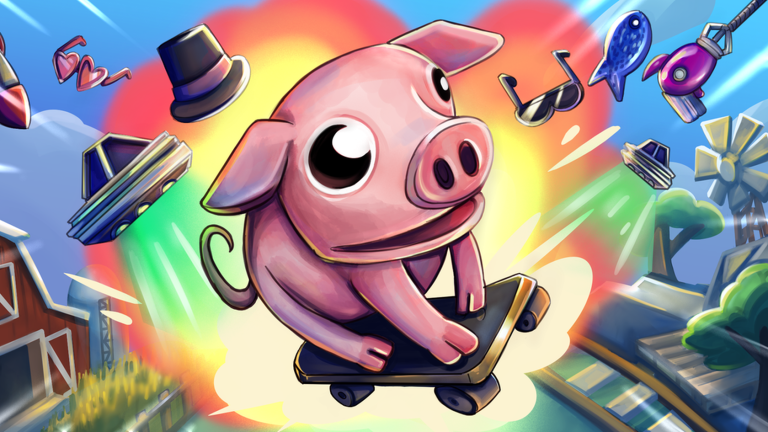
The Animals & Characters Hub introduces the playable menagerie of Ragdoll Animals—the Roblox physics sandbox we brand as Animal Ragdoll. You do not load out operators with gun stats; you become pigs, ram-like chargers, goat-flavored chaos agents, flyers, and heavy bodies built to explode, fling, crash, bounce, and fly through wild objects. Understanding archetypes helps you pick the right body for quests, crates, and freestyle clips.
Fantasy in one paragraph
Takawakalaka’s experience leans into Goat Simulator energy: smash tomatoes, slam into props, and turn soft-body physics into comedy. Servers hold up to 20 players, so your animal choice also changes how crowded collisions feel. Light flyers dance above the mess; heavies turn every landing into a bowling ball.
Archetypes you will meet
- Pig / Piggy — round slapstick mass, great for funny fails and wide hitboxes.
- Ram / charge beasts — forward impact for quest objectives and door-breaking vibes.
- Goat-like chaos forms — all-rounder sandbox energy and prop interaction.
- Flyers — air time, bounce chains, and cinematic ragdoll arcs.
- Heavies — momentum kings that flatten props and other players.
Community rankings of these fantasy roles live on the animals tier list. Pair bodies with tool archetypes from the tools tier list for complete kits.
How unlocks generally work
Exact shop rows can shift with patches, but the progression spine is consistent: earn XP, climb toward the level 40 cap, unlock tools that change your kit, and watch Crate Drops, Quests, and Flash Deal for temporary or permanent goodies. Animal access often ties into that same XP/tool economy—treat early forms as tutorials and prestige bodies as goals.
Deep roster notes, unlock philosophy, and playstyle tips sit on Animals roster. For the grind itself, use how to level up and quests and crates.
Controls change how animals feel
A flyer is useless if you cannot steer bounce recovery; a heavy is frustrating if camera lag fights your charge. Learn device inputs on controls before you blame the archetype. Recent character bouncing fixes make mid-air control more predictable—relearn timing after big physics patches listed on patch notes.
Day-one animal advice
- Spend your first session in whatever default animal the tutorial gives you—focus on the explode-fling loop from Getting Started.
- Unlock a charge-friendly body when quests ask for impact or prop smashing.
- Experiment with a flyer once bounce tools appear; aerial XP routes can feel amazing.
- Keep a heavy for crowded 20-player mayhem and crate rush moments.
- Recheck tiers after tool bug fixes—some animals only shine with specific gadgets.
Why this hub exists separately from tier lists
Tier lists answer “what is strongest for chaos.” This hub answers “what exists, how unlocks feel, and where to read more.” Official naming on Roblox is Ragdoll Animals; tags players search include Pig, Piggy, Bones, Crashing, Physics, Chaos, Flying, Funny, Destruction, Fling, and Bouncing. We keep those intents covered without inventing fake exclusive skins.
Related reading
- Animals roster deep dive
- Animals tier list
- Tools tier list
- Controls guide
- Getting Started
- Official Links for the live experience and Takawakalaka group
Pick an archetype, learn its momentum, and let the ragdoll physics do the rest.
Frequently Asked Questions
Quick answers to the most common Ragdoll Animals questions.
What animals can I play in Ragdoll Animals?
Expect pig/piggy, ram or goat-like chargers, flyers, heavies, and other chaos bodies. See the animals roster page for deeper notes.
How do I unlock more animals?
Progression generally ties to XP, tools, quests, and crate or Flash Deal rewards up through the level 40 cap—details on the roster guide.
Which animal is best for beginners?
Use the default body first, then move toward stable chargers or pigs before complex flyers. Getting Started and Controls help.
Where is the ranking of animals?
Open the Animals tier list for S–C community rankings focused on fun and chaos value.
Do controls differ per animal?
Core inputs stay similar, but mass and bounce change timing. Read the Controls guide after physics patches.