Animal Ragdoll How to Redeem Ragdoll Animals Codes
UI steps, typo traps, and what to do when a gift does not appear.
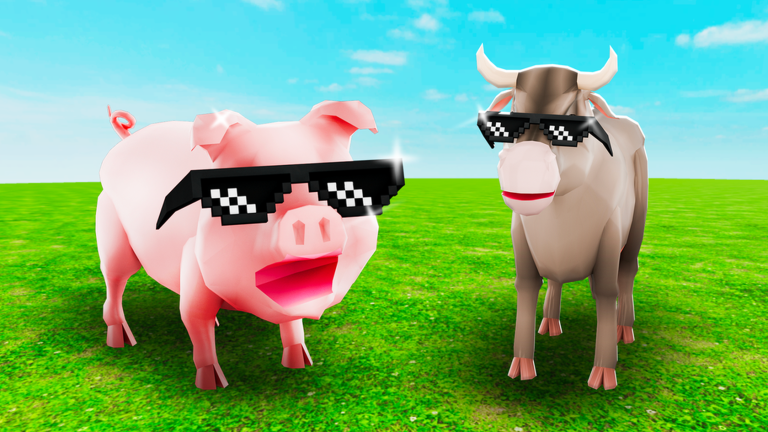
Redeeming a code in Ragdoll Animals should take under a minute—yet most failed gifts come from typos, expired strings, or stale servers, not from a broken game. This guide walks Animal Ragdoll readers through the full flow: finding the Codes field, pasting safely, confirming rewards, and troubleshooting. Pair it with the live status table on the Codes Hub so you only attempt strings that still matter.
Before you start
- Launch the official experience from Official Links or Roblox search for Ragdoll Animals by Takawakalaka.
- Confirm you are on place
121571737300302if you use ID checks. - Have the code copied from a trusted source (game description, group shout, or our Codes Hub)—never from a random
.txtdownload. - Finish any mandatory tutorial prompts so HUD buttons are unlocked.
- Note your current level and tools so you can spot what changed after redeeming.
Remember: as of our research pass there may be no confirmed active public codes. Practice the UI anyway so you are ready when Flash Deal season or a patch drops a gift string.
Step-by-step redeem flow
1. Open the shop, settings, or gifts menu
Most Roblox sandboxes tuck Codes behind a shop ticket icon, a gear/settings button, or a Twitter/gift panel. In Ragdoll Animals, look for labels like Codes, Redeem, Gifts, or Promo. If you cannot find it, rejoin—UI sometimes fails to load on first spawn in busy 20-player servers.
2. Tap the text field
Mobile players should tap once and paste; PC players can Ctrl+V. Do not type from memory if the code mixes letters and numbers—OCR errors from video thumbnails are common.
3. Paste exactly
- No leading or trailing spaces
- Respect CAPITALIZATION if the code is case-sensitive
- Do not add quotation marks
- Do not replace
Owith0unless the source shows digits
4. Confirm / Redeem
Press the button once. Spamming can soft-lock some UIs. Wait for a success toast, error toast, or inventory popup.
5. Verify the reward
Check tools, cosmetics, and XP. If nothing appears, leave to Roblox home and rejoin the experience. Many games grant on server sync, not instantly mid-ragdoll.
6. Log what worked
Keep a private note of redeemed strings. Roblox codes are usually single-use per account; retrying wastes time and makes you think a live code is dead.
Where legitimate codes appear
- Experience About / Description text on Roblox
- Takawakalaka group shout and wall (links hub)
- In-game announcement banners tied to updates (Updates Hub)
- Occasionally alongside Flash Deal or crate events described in quests and crates
We intentionally do not scrape unverified social spam into the hub table. Empty rows beat fake codes.
Common errors and fixes
| Symptom | Likely cause | Fix |
|---|---|---|
| “Invalid code” | Typo or expiry | Recopy; check Codes Hub status |
| Button does nothing | UI desync | Rejoin fresh server |
| Success but no item | Slow replication | Switch servers; check inventory menus |
| Field missing | Tutorial lock or old client | Finish onboarding; update Roblox app |
| Only works for friends | They used a different game | Confirm place ID |
If a code fails for everyone, it is expired—delete it from your notes and wait for the next patch theme on patch notes.
Safety rules while redeeming
Codes never require:
- A third-party executor
- Your Roblox password in a Google Form
- “Enable HTTP requests” on a model
- Paying Robux to a stranger for a “premium code list”
Those are scams. If a YouTube description says you must run a script to redeem, close the tab and read script safety. Official redeem lives inside the Roblox client only.
What to do with rewards
Spend early XP boosts and tool vouchers toward kits that raise chaos value—explosives and fling tools usually help more than pure vanity while you climb to level 40. Use the tools tier list and how to level up to prioritize. Animal unlocks and body experiments belong with the animals roster once your basics feel solid.
New players should still complete Getting Started even if a lucky code dumps gear early; understanding bounce physics prevents wasting strong tools on mis-aimed flings.
Mobile vs PC differences
On mobile, paste permissions sometimes fail after alt-tabbing from a notes app—copy again inside Roblox’s own browser or type carefully. On PC, fullscreen overlays can steal Ctrl+V; click the field explicitly. Controls for actual gameplay remain on the controls page; redeem UI is separate from ragdoll movement.
After a major update
Patches that add Quests, Crate Drops, or Flash Deal often reshuffle menus. If the Codes button moved, skim new UI once, then return here. We will update screenshots in text form when layouts change permanently. Until then, the logical order stays: open gifts/shop → find Redeem → paste → confirm → rejoin if needed.
Checklist you can screenshot
- Official game launched
- Code copied from trusted source
- Codes field opened
- Exact paste, no spaces
- Single confirm press
- Inventory verified after rejoin
- Status cross-checked on Codes Hub
Master this flow once and every future gift takes seconds. When the table on the hub finally shows a live string, you will already know exactly what to tap.
Frequently Asked Questions
Quick answers to the most common Ragdoll Animals questions.
Where is the Codes button in Ragdoll Animals?
Look in shop, settings, or gifts menus for Codes/Redeem/Promo. Rejoin if the HUD failed to load on first spawn.
Why does my code say invalid?
Usually a typo, extra space, wrong capitalization, or an expired code. Recopy from a trusted source and check the Codes Hub.
I got a success message but no reward—what now?
Leave and join a new server, then inspect tools and inventory. Rewards often sync after a fresh session.
Do I need a script to redeem codes?
Never. Official redeem is in-game only. Anyone demanding an executor is scamming you.
Are there active codes right now?
Check the Codes Hub table. Research often shows no confirmed actives—practice the UI so you are ready when one drops.
Can I redeem the same code twice?
Most Roblox promo codes are once per account. Save a personal list of already-used strings.